Pyxi Download

What it does

It shows you.
Right where you're looking.

Every screen on this wall is a real screenshot of Pyxi on Windows. Drag the wall, use the arrows, or click a screen to bring it round, then follow it down to the part of the page that explains it.

Points at the buttonAsk where something is. An ice ring lands on it and a thread of light leads your eye there.

Explains

Notes beside the thing you're reading.

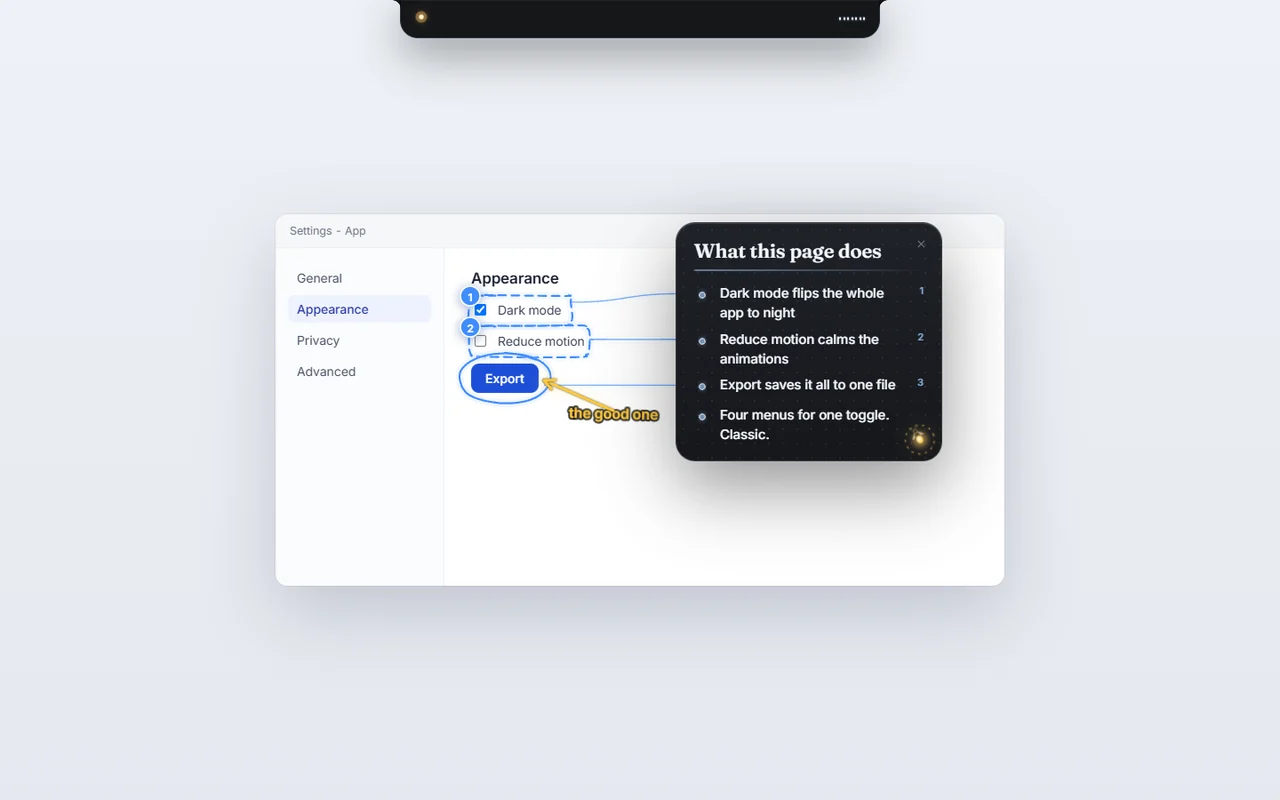
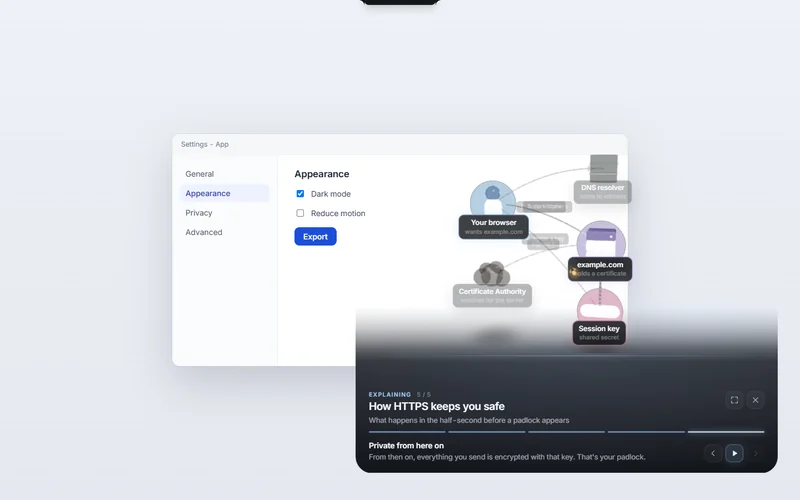
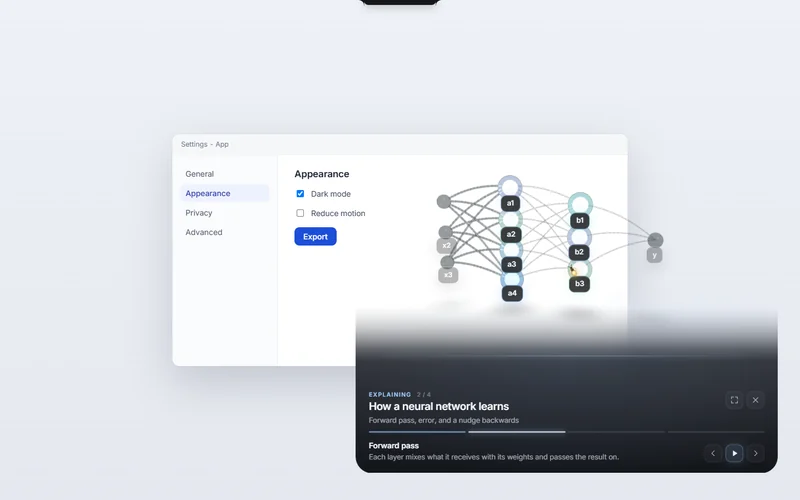
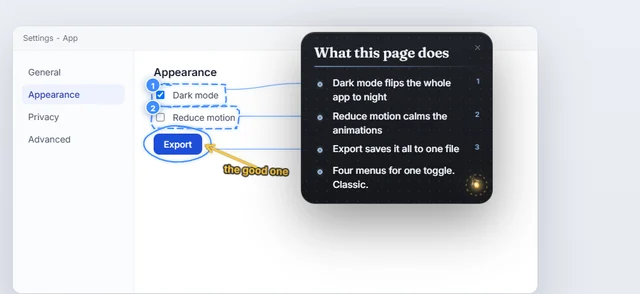
Ask "explain this page" or "what's the story in this chart?" and Pyxi writes a notebook card right next to it. Each point writes itself in ink as Pyxi says it, and a numbered outline frames the exact thing it means. Ask about a diagram or a photo and it pins short tags onto the actual parts of the picture.

  • Explain this meme
  • What's the story in this chart? Draw it.
  • Explain this diagram
Field notes: a handwritten card beside a settings window, each point framing the control it explains Recorded from Pyxi

Guides

Points at the button. Then waits for you.

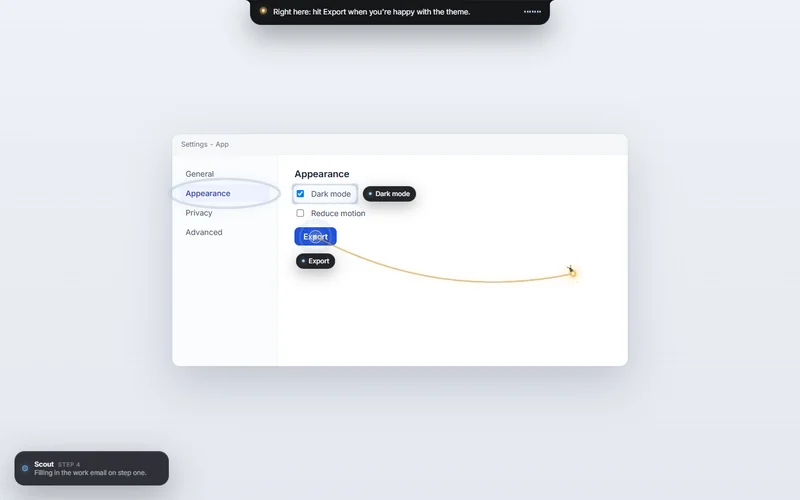
Ask how to do something in any app and Pyxi marks the one control to click, with an arrow from your cursor. It waits for your real click, looks again, and gives you the next step until you're done. Name the app and it looks at that window, even on your other monitor.

  • How do I add an environment variable in Vercel?
  • Walk me through turning on notifications
  • What does this setting do?
Pyxi pointing at a button: an expanding ring, a thread of light from the firefly, a framed checkbox and a circled tab

Builds in 3D

Ask how something works. Watch it get built.

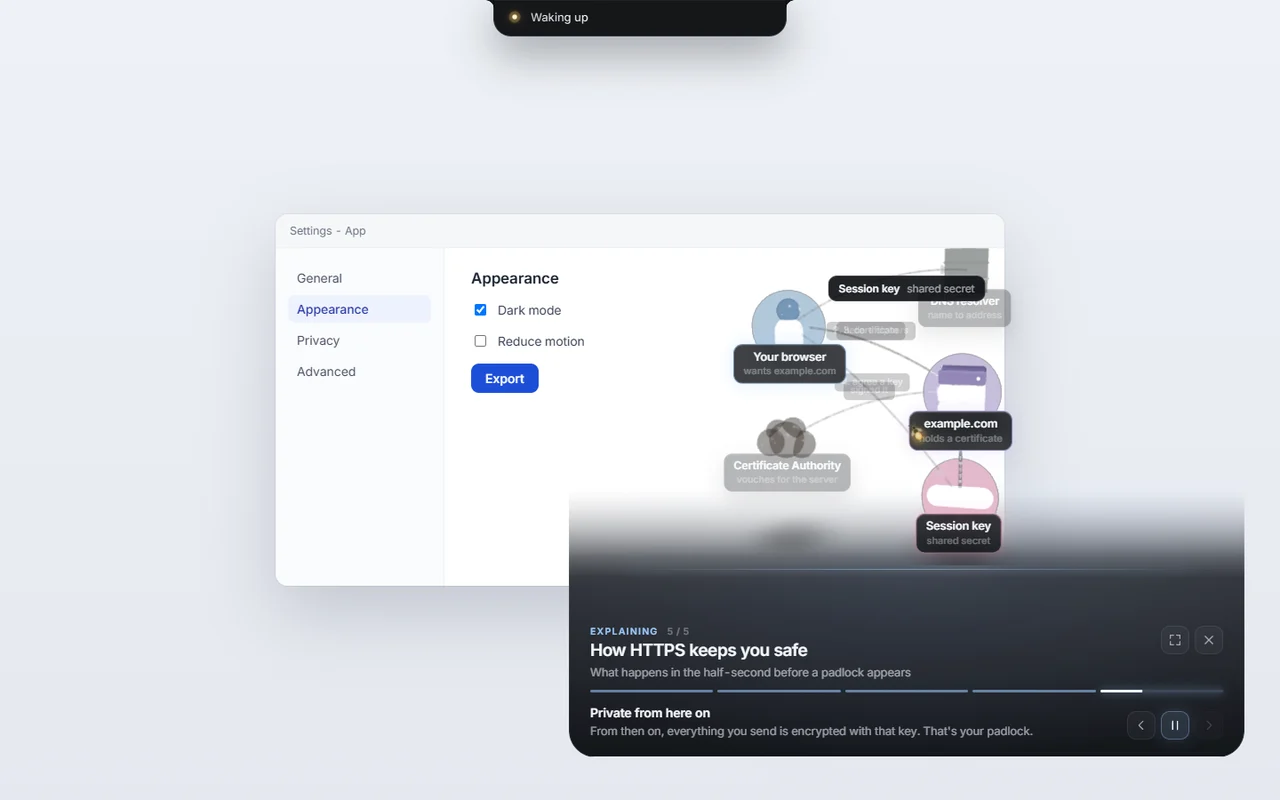
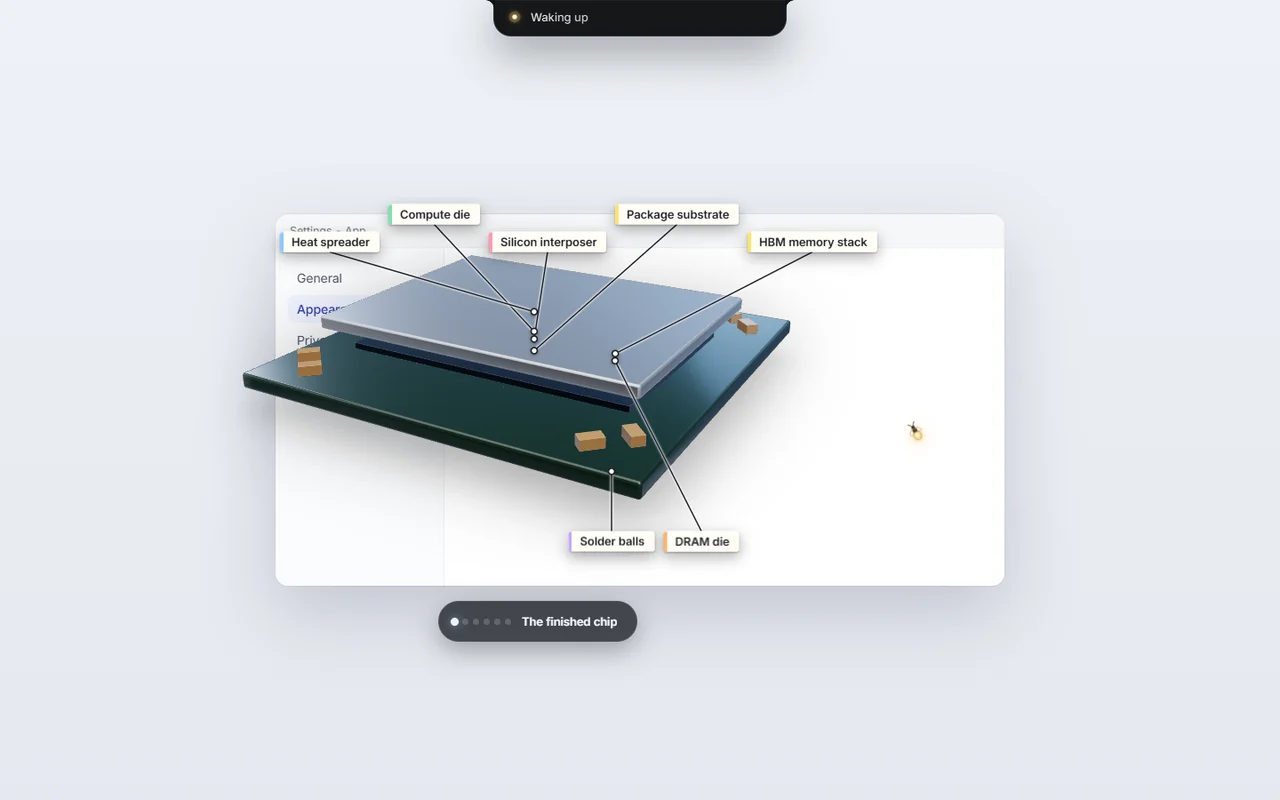
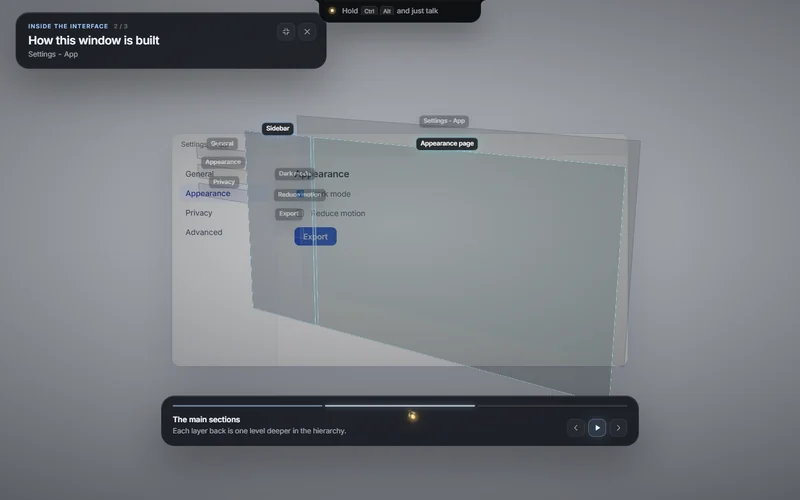
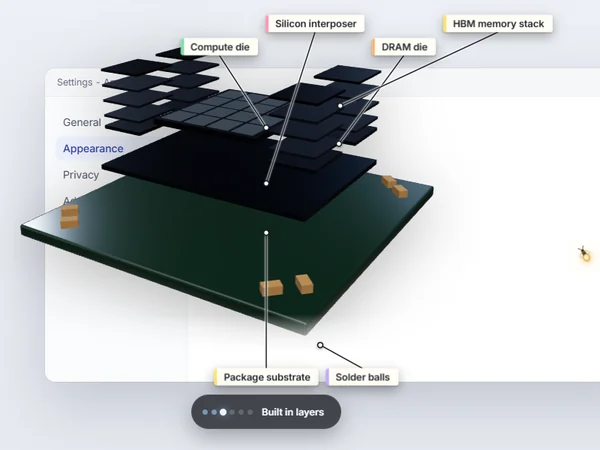
"Hey Pyxi, how is an AI chip built? Show me in 3D." Pyxi assembles a real-looking model from parts: the substrate, the silicon interposer, the compute die and the stacked memory chips beside it. Then it takes it apart layer by layer while it explains, like a short video. Say "show the inside" or "make it spin" and it edits the same model. Ideas get the same treatment: HTTPS, OAuth or a neural network become a 3D scene with a guided tour.

  • How is an AI chip built? Show me in 3D.
  • How are RAM chips stacked?
  • How does OAuth work?

Turn one around yourself: two of Pyxi's models, live in your browser

Pyxi building a 3D model of an AI chip over a settings window: package substrate and solder balls, a silicon interposer, the compute die and stacks of DRAM memory dies, taken apart layer by layer Recorded from Pyxi

Takes the wheel

Your mouse and keyboard, only when you say so.

"Play Blinding Lights on YouTube Music." "Make a pivot table of this in Sheets." Pyxi asks first, with Allow or Always allow. Then it moves your real mouse and keyboard and labels what it's doing beside the cursor. Move the mouse or press Esc and it stops. Sending, buying, deleting and closing things always ask again.

  • Play Blinding Lights on YouTube Music
  • Make a pivot table of this in Sheets

Delegates

A small team that works while you watch.

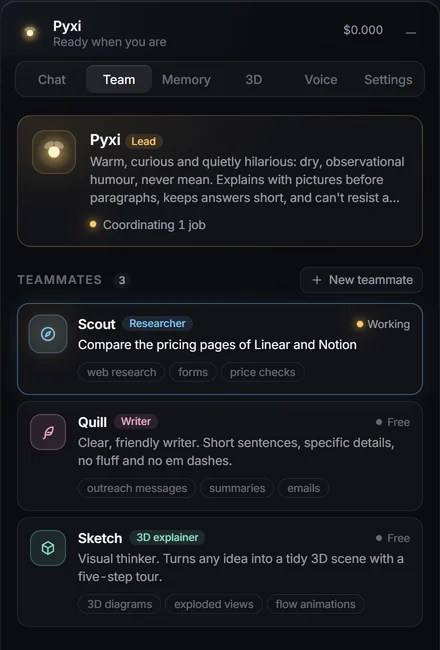
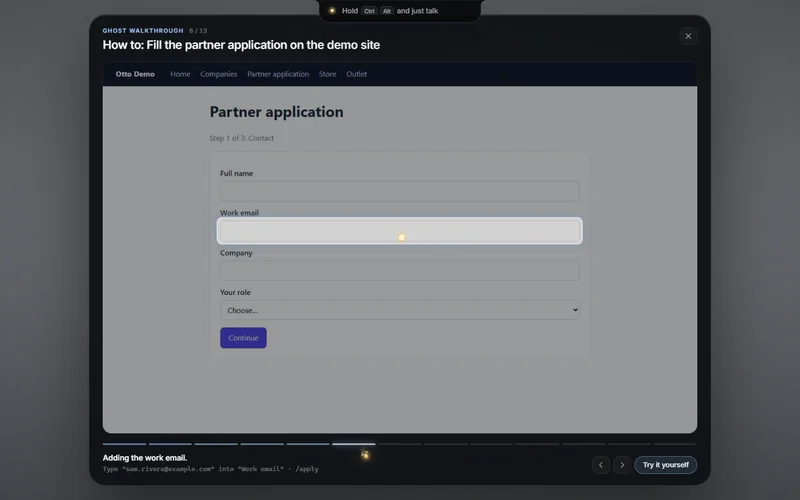
For bigger jobs Pyxi hands off to teammates with their own names, voices and memory. Scout researches in a real browser, Quill writes, Sketch makes 3D. They pass work along: Scout finds the pricing, then Quill writes the summary. Afterwards, any browser job replays as a Ghost Walkthrough that shows you how to do it yourself.

  • Scout, find the pricing for linear.app, then Quill, write me a two-line summary
  • Make me a teammate called Pixel who compares prices across three shops
A Ghost Walkthrough replaying a browser task step by step
The team panel: Pyxi as lead, with Scout the researcher at work and Quill and Sketch free

Remembers, if you want

A Memory Palace for your screen.

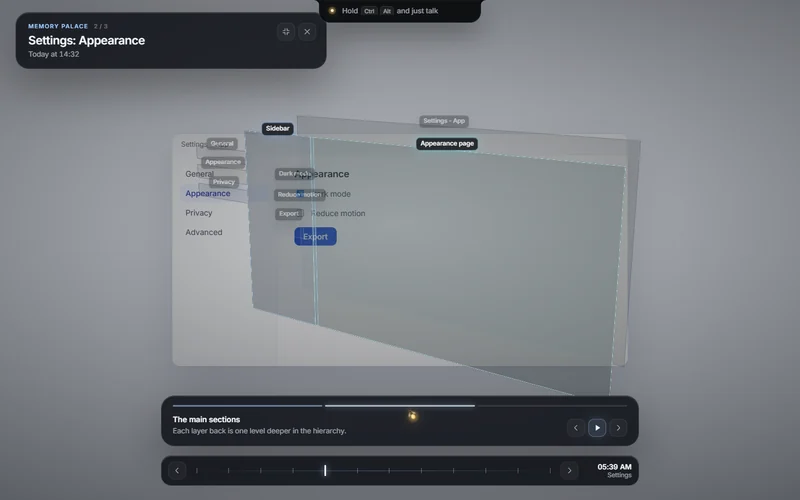
Turn it on and Pyxi keeps a quiet history of what was where. "Take me back to the pricing page this morning" rebuilds it as an explorable hologram with a time scrubber, and "how did I get here?" lays out the chain of events in 3D. It's off until you turn it on, records no keystrokes, stays on your computer and clears itself after 72 hours.

  • Take me back to what I was doing 20 minutes ago
  • How did I get here?
Memory Palace: a past settings window rebuilt in 3D layers, with a time scrubber along the bottom

Talks

Hears you and talks back, on your PC.

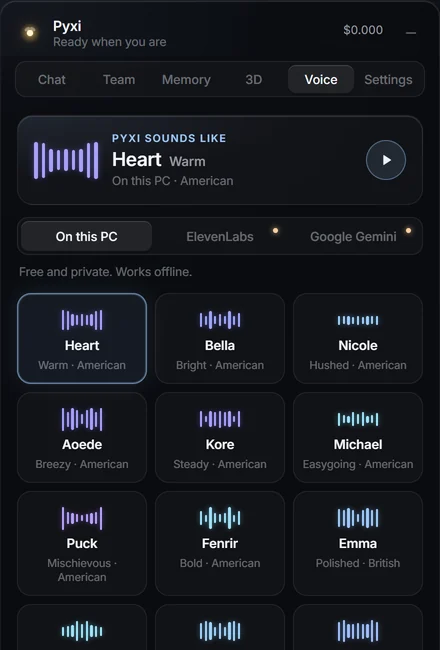
Pyxi's voice runs on your own computer. What you say is turned into text by a cloud model that gets names and accents right, and Pyxi does not keep the sound; one switch keeps your voice on your computer instead. Choose who Pyxi sounds like in the voice studio. Speed, language and captions are one tap away.

  • Hold Ctrl Alt to talk
  • Tap Ctrl twice to type
The voice studio: voice cards with drawn signatures, voices that run on this PC, and premium options

Everyday chores

And the little things, in seconds.

No clicking around. Pyxi does these directly, and anything that reaches other people waits for your OK.

Two to four windows, one step

Lay out the apps you need side by side, in one go.

Gmail and Sheets side by side

Songs and volume

Starts the song in a window behind yours and sets the volume. Pause and skip too.

Play Billie Jean, a bit quieter

A tidy Desktop, with undo

Sorts the mess into folders. You approve the plan, nothing is deleted, and "undo that" puts it all back.

My desktop is a mess, organise it

Emails and invites, with approval

Works in Gmail, Google Calendar and Google Docs. Every email, invite or post shows you an approval card first.

Sam emailed my recommendation letter, fix it

Illustrations of Pyxi's own cards and layouts.

Sixty things to ask. Twelve teammates to ask them of.